Donate
Would you like to support the vital work of our prison chaplains?
New Jersey’s Christian Science churches financially support the mission of our prison chaplains, but it is not enough.
The Holy Bible, Science and Health with Key to the Scriptures by Mary Baker Eddy, and many of the periodicals produced by the Christian Science Publishing Society including the Weekly Bible Lesson, are given to prisoners who request these materials.
If you would like to help supply the needs of prisoners who desire to learn more about Christian Science, please donate to the Committee by clicking on any of the methods below.
PayPal or credit card
- Click the yellow Donate button below.
- When the screen changes, click on the ‘0’ and enter the amount of your donation.
- Click inside the boxes below for additional options, then confirm by clicking the Donate with PayPal or Venmo Donate button.
- Then you’re asked to provide your PayPal account information OR click the Donate with Debit or Credit Card button.
- Then, enter your credit card information and click Donate Now.
Thank you for your support of our important work!
Zelle
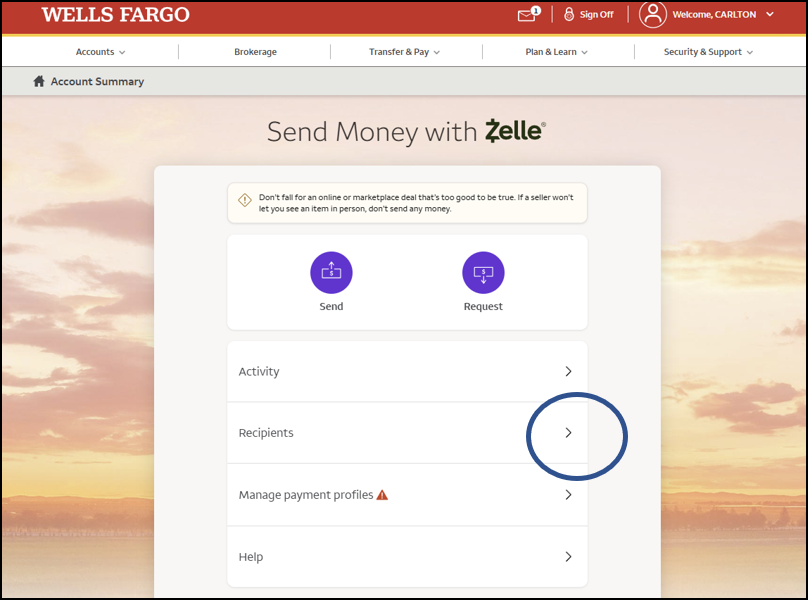
Most American banks allow their customers to send money to anyone via a system called Zelle. Log on to your bank’s web site and navigate to that section that allows you to send money via Zelle.
The example here is from Wells Fargo’s web site. If your bank does have the service, it should have a screen that looks something like the above.
Click on the ‘Recipient’ menu item as the encircled.
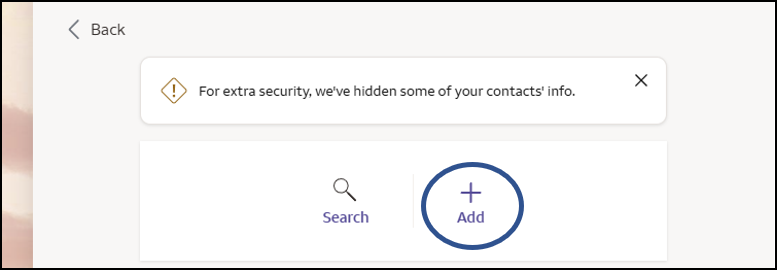
Next, click on the ‘Add’ button as highlighted in the circle at left. This will allow you to add CSIS NJ as a recipient.
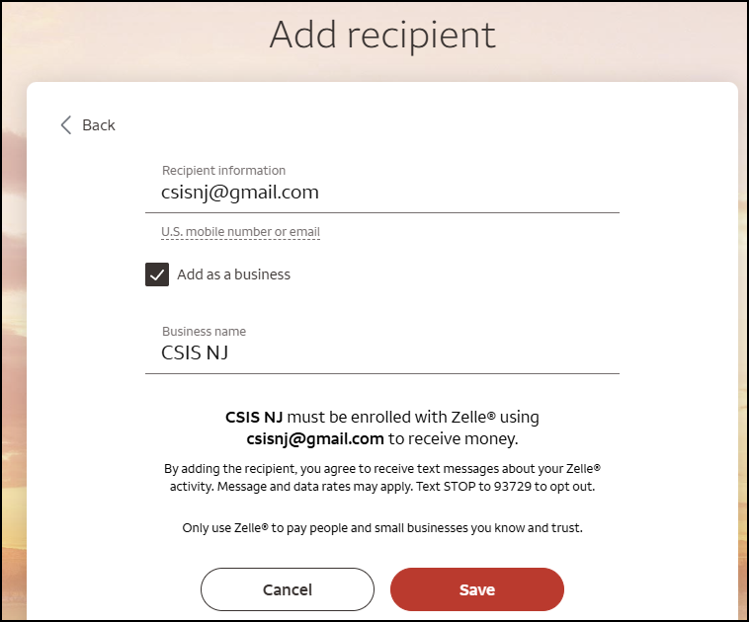
When you are sent to the Add recipient form, first type CSIS NJ’s email address in the line that says ‘Recipient information’ as shown.
Next click on the ‘Add as a business’ button, then type in a description that will mean something to you, like ‘CSIS NJ’ as typed at left.
Then click on the Save button at bottom.
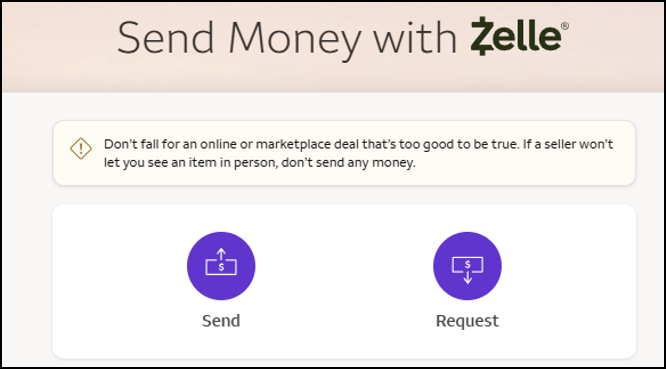
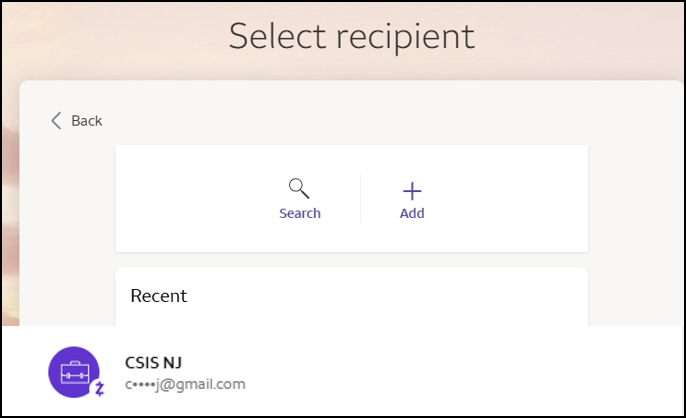
Navigate your way back to the first screen and click on the Send button.
Next will come up the Select recipient form … the CSIS NJ email address should show up … click on that.
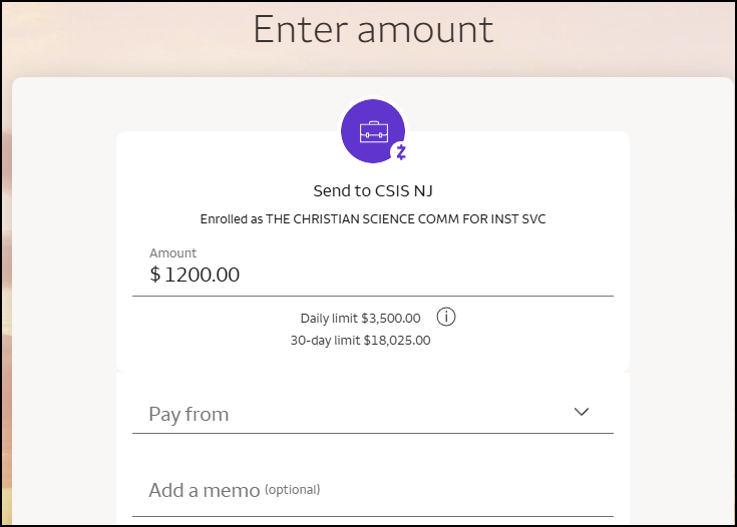
You will then be brought to the Enter amount form … first, type in the amount you wish to contribute.
Then, click on the Pay from box and click on the account you wish to send money from.
Then click on the Review button at bottom and make sure all the information is correct.